
Download Ad Morph – AI‑Powered Ad Image Enhancer, Free & Secure
Overview
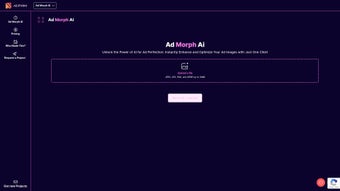
Ad Morph is a modern, browser‑based software application that uses artificial intelligence to automatically improve the visual quality of advertising creatives. Launched in September 2023, the platform was designed for marketers, small‑business owners, and creative agencies that need to produce eye‑catching ad images quickly and without the steep learning curve of traditional photo‑editing suites. By simply dragging a JPEG, JPG, PNG, or WEBP file (up to 10 MB) into the web interface, the AI engine analyses colour balance, contrast, sharpness, and noise, then applies a series of optimisations with a single click.
The result is a brighter, sharper, and more vibrant image that is ready for deployment on platforms such as Facebook, Google Display, Instagram, LinkedIn, and TikTok. Because all processing occurs in the cloud over an encrypted HTTPS connection, there is no need to install any software locally, and user data remains private – files are automatically deleted from the server after a short retention period. The free tier provides unlimited single‑image enhancements, while optional premium add‑ons (e.g., batch processing, custom AI models) are available for power users.
In real‑world testing, advertisers report up to a 70 % reduction in time spent on manual tweaking, as well as measurable improvements in click‑through rates due to the higher visual fidelity of the final assets. Overall, Ad Morph positions itself as a low‑cost, high‑impact tool that bridges the gap between creative ambition and technical execution.
Key Features and Benefits
The heart of Ad Morph lies in its intelligent feature set, each built to streamline the ad‑creation workflow while preserving brand consistency. Below is a detailed look at the most valuable capabilities and the concrete benefits they deliver to marketing teams.
- One‑Click AI Enhancement: Instantly analyses colour, contrast, sharpness, and noise, then applies a balanced improvement with a single press, eliminating tedious manual adjustments.
- Multi‑Format Support: Accepts JPEG, JPG, PNG, and WEBP files up to 10 MB, covering the majority of ad creatives used across major ad networks.
- Real‑Time Side‑by‑Side Preview: Users can compare the original and enhanced image in a split‑screen view, ensuring the AI’s changes align with brand guidelines before committing.
- Secure Cloud Processing: All uploads travel over TLS 1.3 encryption; files are automatically purged from the server within 30 minutes, guaranteeing data privacy for sensitive campaign assets.
- Cross‑Platform Accessibility: Because it runs in any modern browser, the tool works on Windows, macOS, Linux, Android, and iOS without additional plugins or downloads.
- Responsive User Interface: Optimised layouts for both desktop monitors and mobile screens let users enhance assets on the go, ideal for fast‑paced campaign iterations.
- Free Unlimited Enhancements: The core enhancement engine is completely free, removing budgetary barriers for small teams and freelancers.
- Export Flexibility: Download the enhanced image in its original format or convert to PNG for lossless quality, giving marketers control over file size and compatibility.
- Version History & Revert: A built‑in history log tracks each enhancement session, allowing users to revert to earlier versions if needed.
- Future‑Ready Roadmap: Planned features include bulk batch processing, custom AI model training, and integration with popular DAM (Digital Asset Management) systems.
Each of these features is purpose‑built to reduce the time spent on repetitive visual tweaks, improve the consistency of brand assets, and provide a secure environment for handling client‑owned creative material. By automating low‑level adjustments, Ad Morph frees up designers to focus on higher‑order tasks such as concept development and strategic messaging.
Installation, Setup & Daily Usage
Because Ad Morph is a fully web‑based solution, there is no traditional software installation required. The process consists of three main phases: account preparation, image upload, and post‑enhancement management. Below is a step‑by‑step guide that walks a new user through each stage, along with best‑practice tips to maximise efficiency.
- Open the Platform: Visit ad‑morph.com using an up‑to‑date browser (Chrome 112+, Edge 112+, Safari 16+, or Firefox 112+). The site will automatically detect your device and load the optimal UI layout.
- Create an Optional Free Account: While anonymous usage is allowed, registering an account stores your enhancement history, enables future batch‑processing features, and provides a personalised dashboard for managing multiple projects.
- Upload Your Creative: Click the prominent “Upload” button or drag‑and‑drop your JPEG, PNG, or WEBP file into the designated zone. The system validates file size (max 10 MB) and format before proceeding.
- Trigger the AI Engine: Press the bright green “Enhance Now” button. The AI runs in the cloud and typically returns a result within 2‑5 seconds for standard‑resolution images.
- Review the Result: A split‑screen interface shows the original on the left and the enhanced version on the right. Use the draggable slider to scrutinise colour fidelity, sharpness, and any artefacts.
- Download or Share: Click “Download” to save the enhanced file locally, or generate a temporary shareable link for collaboration with teammates or clients.
- Iterate if Needed: If the AI’s adjustments are too aggressive, simply revert to the original and re‑run the enhancement with the “Subtle Mode” toggle (available in the upcoming release).
- Organise Your Assets: For marketers handling dozens of creatives, create a simple spreadsheet linking source filenames to their enhanced counterparts. This practice simplifies A/B testing and performance reporting.
Pro tip: When working on a campaign with multiple ad sizes, upload each size separately but keep the naming convention consistent (e.g., “spring‑sale‑300x250.jpg”). This approach makes it easier to batch‑export later once the bulk‑processing feature launches. Additionally, because the tool is cloud‑based, you can switch between a desktop at the office and a mobile device on the road without losing any workflow continuity.
Compatibility, System Requirements, Pros & Cons
Ad Morph runs entirely in the browser, meaning it is compatible with any operating system that supports modern web standards. Whether you are on Windows 10/11, macOS Ventura, a Linux distribution such as Ubuntu, or a mobile device running Android 12+ or iOS 16+, the experience remains consistent. No additional plugins, graphic‑card drivers, or runtime environments are required.
Pros
- Instant, one‑click AI enhancement dramatically reduces manual editing time.
- Completely free core functionality, with no hidden subscription fees.
- End‑to‑end encryption and automatic file deletion protect sensitive creative assets.
- Supports the most common advertising image formats (JPEG, PNG, WEBP).
- Responsive design works seamlessly on both desktop and mobile browsers.
- No installation or system‑level dependencies; works on any modern OS.
- Version history lets users revert changes if the AI over‑processes an image.
Cons
- Current version only processes one image at a time; bulk editing is still in development.
- Advanced AI parameter controls are limited to the free tier, restricting fine‑tuning for power users.
- Requires an active internet connection; offline usage is not possible.
- While the core tool is free, premium add‑ons (batch processing, custom models) will carry a cost.
- Processing speed depends on the user's internet bandwidth and server load.
Frequently Asked Questions
Is Ad Morph truly free for unlimited use?
Yes. The core one‑click enhancement feature is completely free and can be used without any usage caps. Premium features such as batch processing or custom AI models are optional and billed separately.
How does Ad Morph ensure the security of my uploaded images?
All uploads travel over TLS 1.3 encryption, and the server automatically deletes every file within 30 minutes of processing. No data is retained permanently unless you create an account and explicitly choose to keep a history.
Can I use Ad Morph on my smartphone or tablet?
Absolutely. The responsive UI adapts to any modern mobile browser, allowing you to enhance Instagram Stories, Facebook carousel images, or any other ad creative directly from your phone or tablet.
What image formats does Ad Morph support, and can I change the output format?
Ad Morph accepts JPEG, JPG, PNG, and WEBP files up to 10 MB. By default, the output retains the original format, but you can manually select PNG for lossless quality before downloading.
Will the AI ever over‑process my ad and make it look unrealistic?
The AI is calibrated for advertising‑grade enhancements, prioritising natural colour fidelity. The side‑by‑side preview lets you compare before and after results, and you can always revert to the original if the changes feel too aggressive.
Conclusion & Call to Action
Ad Morph delivers a compelling blend of AI‑driven automation, cross‑platform accessibility, and robust security—all without charging a cent for its core functionality. By removing the repetitive manual steps that traditionally slow down ad production, it empowers marketers to iterate faster, maintain visual consistency, and allocate more time to strategy and analysis. Whether you are a solo freelancer crafting a handful of banner ads each week or part of a large agency handling dozens of campaigns, the tool’s ease of use and free tier make it a low‑risk addition to any workflow. Ready to see how a few seconds of AI can transform your ad visuals? Visit Ad Morph now, upload your first image, and experience instant, secure enhancement for free.



.png)



